
How Long Does OnlyFans Take to Pay? (Fast Payouts)

Leo Vance
Published: Aug 22, 2026 • 9 min read
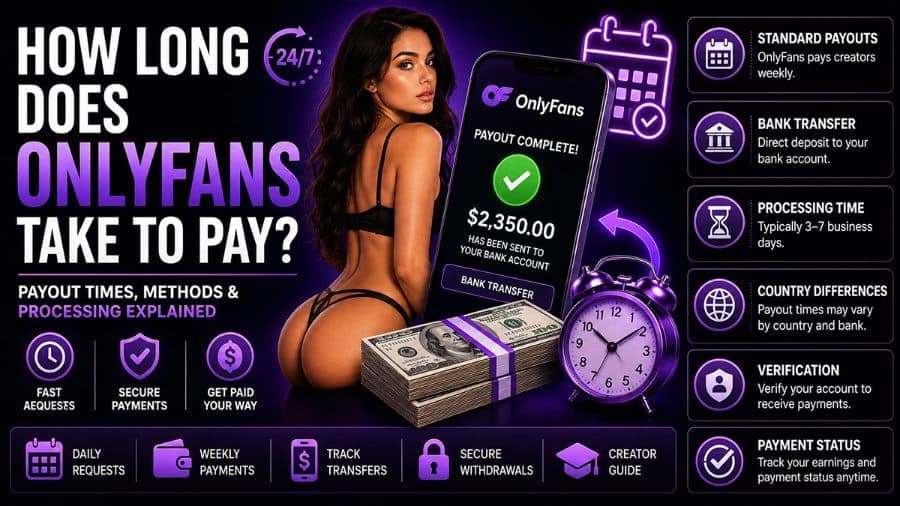
How Long Does OnlyFans Take to Pay? Payout Times & Methods
Cash flow timing is the lifeblood of any independent enterprise. For digital creators who rely on subscription media for their monthly rent, utility bills, production equipment, and living expenses, knowing precisely how long does OnlyFans take to pay is essential for maintaining operational solvency.
A common shock experienced by new creators occurs immediately following a successful promotional launch: your account registers $1,500 in new fan subscriptions, but when you navigate to your wallet to initiate a withdrawal, your available balance displays $0.00.
This delay is not a banking glitch or platform error. In 2026, the OnlyFans payout infrastructure operates through two distinct, mandatory phases: the 7-day pending rolling escrow period (designed for fraud and chargeback screening) and the banking transmission window (how long it takes capital to travel across global payment rails into your personal account).
In this comprehensive financial guide, we break down the exact mathematics of platform clearing times, compare the speed and fees of every available withdrawal method, examine the underlying reasons for payout delays, and provide actionable frameworks to get your creator earnings deposited as quickly as possible.
Phase 1: The 7-Day Rolling Clearing Period (Pending Balance)
When a subscriber transacts on your profile—whether purchasing a monthly subscription, unlocking a direct-message pay-per-view video, or sending a voluntary cash tip—those funds do not immediately enter your spendable wallet. Instead, they land in your Pending Balance.
How long does OnlyFans hold these funds before you can withdraw? Exactly seven full days (168 hours) on a rolling basis.
OnlyFans enforces a strict 7-day rolling clearing period for every individual transaction:
- If a fan tips you $50 at 2:15 PM on a Tuesday, that transaction (minus the 20% platform fee) will automatically transition from your "Pending Balance" to your "Current Balance" (available for withdrawal) at precisely 2:15 PM on the following Tuesday.
- Because earnings clear on a rolling transaction-by-transaction schedule, your available balance will update continuously throughout the day rather than clearing in a single midnight batch.
The Security Architecture Behind the 7-Day Hold
Why does OnlyFans impose this mandatory waiting window?
- High-Risk Merchant Classification: Digital adult and glamour entertainment is classified by global banking networks (Visa and Mastercard) as a high-risk merchant category due to historically elevated rates of customer chargebacks and unauthorized transactions.
- Fraud and Stolen Card Detection: The 7-day escrow window provides issuing banks and payment processors sufficient time to identify stolen credit cards, compromised accounts, or unauthorized cardholder activity before funds are permanently disbursed to creators.
- Chargeback Insulation: If a fraudulent transaction is detected during the 7-day window, the platform cancels the charge before creator disbursement, preventing negative balance clawbacks and legal dispute penalties.
"Do not panic if you execute a massive promotional launch but your available balance reads zero. The 7-day rolling hold is an automated regulatory safeguard. Professional creators budget based on a constant one-week pipeline delay."
- Leo Vance
Phase 2: Processing Times by Withdrawal Method
Once your earnings clear the 7-day holding period and enter your Current Balance, you can initiate a payout. You can configure automatic payouts (e.g., daily, weekly, or monthly) or manually trigger a withdrawal whenever your balance crosses the minimum withdrawal threshold (typically $20).
Once you press "Request Withdrawal," how long does it take for funds to arrive in your actual bank account? That timeframe depends entirely on the financial transmission rail you select.
Here is an exhaustive breakdown of the primary withdrawal rails available in 2026:
1. Direct Transfer via OCT / Visa Direct (Fastest Electronic Rail)
- Average Transfer Time: 30 minutes to 4 hours (Frequently instant).
- Geographic Availability: United States, United Kingdom, Canada, and select European Union nations.
- Operational Details: Original Credit Transaction (OCT) routes funds directly onto a linked debit card using Visa Direct or Mastercard Send networks. For creators needing immediate liquidity, OCT represents the fastest consumer payout rail on the platform. Note that your issuing bank must support fast debit push payments.
2. Domestic Direct Bank Transfer (ACH in the US / BACS in the UK)
- Average Transfer Time: 1 to 3 business days.
- Geographic Availability: United States, United Kingdom.
- Operational Details: Automated Clearing House (ACH) transfers represent the standard, most reliable banking rail for domestic creators. Payouts initiated on Monday morning typically clear into checking accounts by Tuesday or Wednesday afternoon. Transfers initiated on Friday afternoon will not clear until the following Monday or Tuesday, as ACH systems do not operate on weekends or federal holidays.
3. Single Euro Payments Area (SEPA Transfers for European Creators)
- Average Transfer Time: 1 to 2 business days.
- Geographic Availability: 36 member nations across the European Union and EEA.
- Operational Details: SEPA integration provides European creators with ultra-fast, low-cost Euro clearing. While OnlyFans accounts operate in USD, SEPA payouts are converted to EUR during processing at near-interbank exchange rates.
4. International Wire Transfers (SWIFT)
- Average Transfer Time: 3 to 7 business days.
- Geographic Availability: Global (Worldwide).
- Operational Details: For creators residing in regions unsupported by ACH, SEPA, or OCT, international SWIFT wire transfers are the primary banking rail. SWIFT transfers involve multiple correspondent intermediary banks, each deducting routing fees and introducing processing friction. Consequently, wire transfers are the slowest payout mechanism on the platform and carry higher minimum withdrawal thresholds ($100 to $200).
5. Alternative E-Wallets (Paxum, Cosmo Payment, Skrill)
- Average Transfer Time: 24 to 48 hours to e-wallet; 1 to 3 days to external bank card.
- Geographic Availability: Global coverage, heavily utilized in Eastern Europe, Latin America, and Asia.
- Operational Details: E-wallets provide reliable alternatives for international creators whose local banks reject direct adult entertainment wire transfers. While wallet-to-wallet transfers are fast, withdrawing funds from an e-wallet onto a local physical debit card incurs secondary transaction fees.
Payout Methods Comprehensive Comparison Matrix
| Payout Method | Typical Speed | Minimum Payout Threshold | Platform Fee | Bank / Processor Friction | Best Suited For |
|---|---|---|---|---|---|
| Visa Direct / OCT | 30 Mins – 4 Hours | $20.00 | $0.00 | $1.00 - $3.00 processor fee | Instant cash liquidity needs |
| ACH Direct Transfer | 1 – 3 Business Days | $20.00 | $0.00 | $0.00 (Standard checking) | US creators seeking reliability |
| SEPA Transfer | 1 – 2 Business Days | $20.00 | $0.00 | 1.5% - 2.5% FX conversion spread | European creators across EU/EEA |
| International SWIFT | 3 – 7 Business Days | $100.00 - $200.00 | $0.00 | $15 - $35 intermediary wire fees | Global creators without local rails |
| Paxum / E-Wallets | 1 – 2 Business Days | $20.00 | $0.00 | Variable monthly wallet fees | Non-US/EU international creators |
Diagnosing Payout Delays: Why Is Your Money Taking Longer?
If your withdrawal has exceeded standard timeframes, your funds are likely caught in an administrative compliance filter. Here are the five most common causes of payout delays:
1. The Weekend and Bank Holiday Lag
Banking rails (specifically ACH and SWIFT) operate exclusively on standard banking business days (Monday through Friday, excluding federal holidays). If you initiate a withdrawal on Friday evening preceding a three-day bank holiday weekend, your transfer will not even begin processing until Tuesday morning.
2. Discrepancy Between Creator Legal Name and Bank Account
The legal name registered on your OnlyFans creator Know Your Customer (KYC) identity verification must identically match the account holder name on your bank account. If your verified KYC name is "Jane Elizabeth Smith" but your bank account is registered under a nickname ("Liz Smith") or under a spouse's name, the receiving bank will reject the inbound transfer, returning funds to OnlyFans after a 5 to 10-day investigation.
3. KYC Verification Expiration or Periodic Re-Check
Financial regulations require OnlyFans to maintain up-to-date compliance records. If the government passport or driver’s license you submitted during onboarding has expired, the platform will automatically freeze payout requests until you upload renewed documentation.
4. Abnormal Spike in Fraudulent Chargebacks
If your creator page experiences a sudden surge in subscriber payment disputes or chargebacks (exceeding 2% to 3% of total volume), automated risk management algorithms may place a temporary administrative hold on your payout balance while compliance officers investigate potential fraud.
5. First-Time Payout Security Hold
First-time creator withdrawals frequently take an additional 2 to 4 business days to clear. Payment processors perform secondary identity matching to verify account routing numbers, SWIFT codes, and account ownership before establishing regular, automated payment pipelines.
Step-by-Step Troubleshooting Checklist for Missing Payouts
If your withdrawal has been marked as "Processed" in your OnlyFans dashboard but has not appeared in your bank account after 5 business days:
- Verify Bank Account Routing & IBAN: Navigate to Banking Settings and confirm every digit of your routing number, account number, or IBAN. A single inverted digit will cause transfers to fail.
- Contact Your Bank’s Wire / ACH Department: Contact your bank and ask to speak with the electronic payments department. Inquire whether an inbound transfer originating from "Fenix International Ltd." or its payment processors is currently sitting in a pending compliance queue.
- Request a Transfer Trace ID from Support: If the bank confirms no transfer is pending, submit a ticket to
support@onlyfans.comrequesting the unique transaction Reference ID or Federal Reserve IMAD/OMAD trace number. Provide this reference number to your bank to locate the transfer across intermediary rails.
Frequently Asked Questions (FAQ)
Can I get paid daily on OnlyFans?
Yes. OnlyFans allows creators to configure automated daily payouts, provided their cleared Current Balance satisfies the minimum withdrawal threshold ($20 for ACH/SEPA). Each day’s cleared balance will be automatically routed to your linked payment method.
What is the minimum amount you can withdraw from OnlyFans?
The standard minimum withdrawal threshold is $20 for direct bank transfers (ACH), SEPA transfers, and Visa Direct OCT debit cards. For international SWIFT wire transfers, the minimum threshold increases to $100 or $200 due to intermediary correspondent banking costs.
Does OnlyFans pay on weekends?
OnlyFans will process withdrawals out of your creator wallet on weekends. However, traditional commercial banks, the Federal Reserve ACH network, and international SWIFT networks do not operate on weekends or statutory bank holidays. Consequently, funds requested on Saturday will generally not clear into your bank account until Monday or Tuesday.
What name appears on your bank statement when OnlyFans pays you?
When creator earnings are deposited into your bank account, the transaction descriptor typically appears under the corporate entity name "Fenix International Ltd." or an authorized regional processing partner (e.g., "Fenix Internet LLC" or "OCT Payment"). It rarely displays the public consumer brand name "OnlyFans."
How can I make my OnlyFans payouts arrive faster?
To achieve the fastest possible payouts, link a debit card that supports Visa Direct / OCT push transfers, maintain strict alignment between your KYC legal name and your banking records, keep your government ID updated, and initiate manual payouts on Monday or Tuesday mornings to avoid weekend banking dead zones.