
How to Withdraw Money from OnlyFans: The Complete Payout, Banking & Tax Guide

Leo Vance
Published: Aug 30, 2026 • 9 min read
After executing multi-channel marketing funnels, batch-shooting exclusive content, and engaging with dedicated subscribers, the most rewarding milestone of the creator journey is payday. However, navigating the creator treasury pipeline—transforming digital platform numbers into spendable fiat currency in your bank account—can be fraught with unexpected friction, banking holds, and regulatory hurdles.
New creators frequently search for how to withdraw money from OnlyFans, often unprepared for the mandatory 21-day clearing periods, minimum payout thresholds, and international banking regulations. Furthermore, conservative commercial banks in various jurisdictions actively flag or reject direct electronic wire transfers originating from adult media platforms, leaving creators frustrated when their hard-earned royalties fail to arrive.
In this comprehensive operational guide, we dissect the end-to-end OnlyFans payout architecture: explaining the 21-day settlement cycle, comparing direct card transfers against international SWIFT wires and specialized e-wallets, detailing step-by-step withdrawal procedures, and addressing modern tax compliance mandates like DAC7 and IRS reporting.
The Creator Treasury Pipeline: How OnlyFans Payouts Work
Before initiating your first withdrawal, you must understand the mathematical journey an individual transaction undergoes from the moment a fan unlocks a post to when the money hits your personal bank account.
| Pipeline Stage | Capital Event & Deductions | Balance Designation | Settlement Timing |
|---|---|---|---|
| 1. Fan Purchase | Fan pays $100 for subscription, PPV, or tip | Gross transaction | Instant checkout authorization |
| 2. Revenue Split | 20% platform fee deducted ($20.00 retained) | 80% net creator share ($80.00) | Instant calculation |
| 3. Risk Reserve | Funds held to absorb chargebacks and banking fraud | Pending Balance | Held across 21-day rolling window |
| 4. Available Balance | Cleared funds unlocked for creator withdrawal | Current Balance | Unlocked on Day 22 |
| 5. Treasury Payout | Creator initiates transfer (Visa Direct, Wire, E-Wallet) | Disbursed Capital | Instant to 5 business days |
OnlyFans operates under a standard 80/20 revenue split: creators retain 80% of their gross earnings, while the platform retains 20% to cover payment processing fees, server infrastructure, customer support, and administrative overhead.
The 21-Day Rolling Clearance Window Explained
One of the most frequent points of confusion among new creators is the difference between their Pending Balance and their Current Balance.
When a fan purchases a subscription or sends a tip, the money does not become instantly withdrawable. Instead, it enters a 21-day rolling clearance window:
- Chargeback Defense: Credit card networks permit consumers to dispute unauthorized charges up to 60 to 90 days after purchase. Holding funds for 21 days creates a rolling capital reserve that absorbs early chargebacks without sending the creator's account into a negative balance.
- Settlement Timing: High-risk merchant acquiring banks batch-settle credit card transactions with OnlyFans on multi-week schedules. Funds must formally clear bank processing before the platform can disburse them to creators.
Once an individual transaction reaches its 22nd day, that specific sum automatically transitions from "Pending" to "Current Balance," becoming immediately available for payout.
Breakdown of Accepted Payout Methods
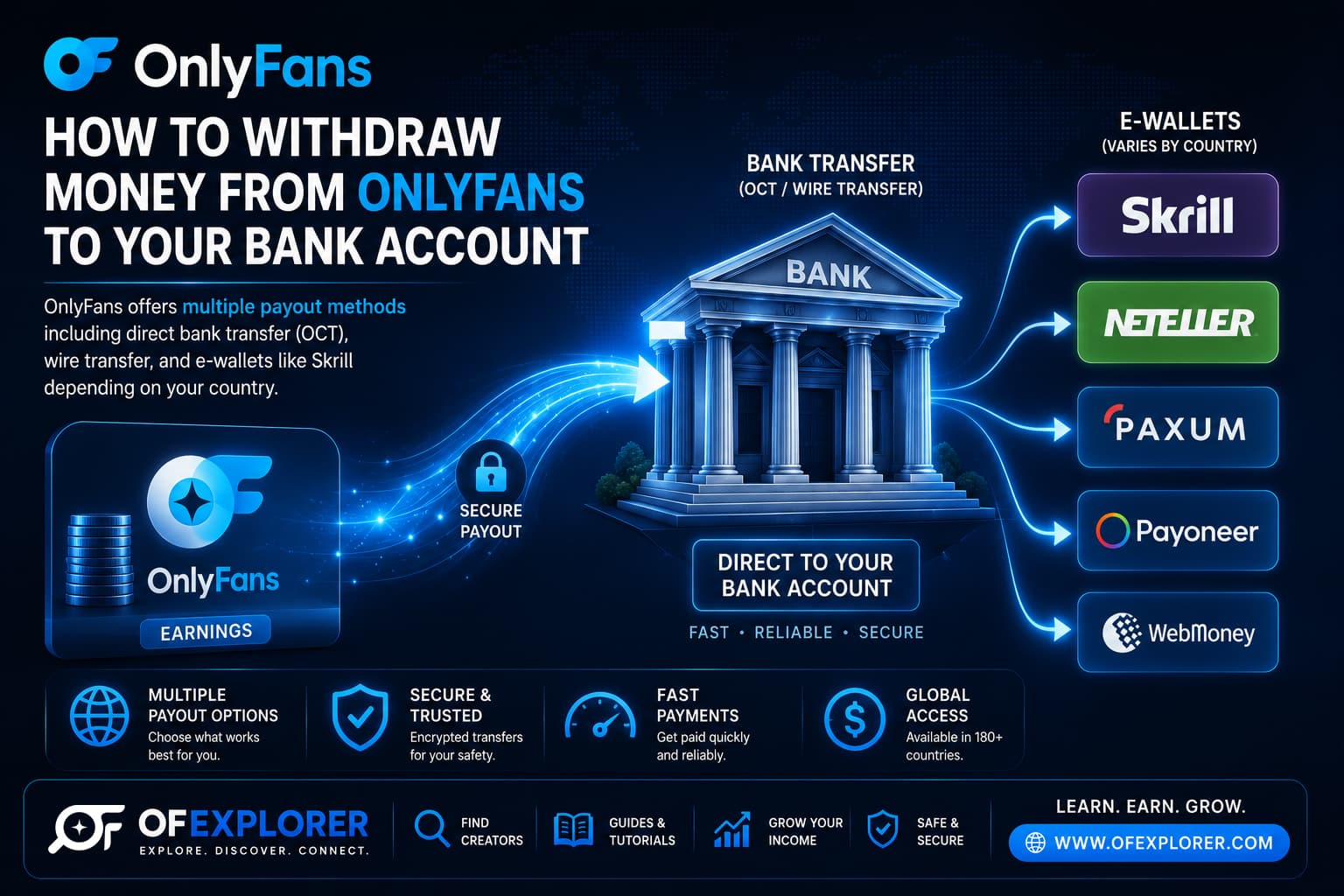
OnlyFans supports multiple international payment rails, customized by your country of tax residence:
1. Direct Transfer / OCT (Visa Direct & Mastercard Send)
- How It Works: Funds are pushed directly to an eligible Visa or Mastercard debit card linked to your checking account.
- Speed: 24 to 48 hours (often settling same-day in the US and UK).
- Minimum Threshold: Typically $20.00 USD.
- Ideal For: Creators in North America, the United Kingdom, and the European Union seeking low-friction, rapid payouts.
2. International Bank Transfer (SWIFT Wire)
- How It Works: A direct cross-border wire transfer from OnlyFans' corporate bank accounts directly to your local domestic bank account.
- Speed: 3 to 7 business days.
- Minimum Threshold: Higher threshold, usually $100.00 to $200.00 USD.
- The Major Hurdle: Many traditional, conservative retail banks actively block incoming international wires originating from adult entertainment entities. Furthermore, correspondent banks frequently deduct between $25 and $50 in wire handling fees, and convert USD to local currency at uncompetitive exchange rates.
3. Specialized Adult E-Wallets (Paxum & Cosmo Payment)
- How It Works: Payouts are deposited directly into a digital electronic wallet engineered specifically for the online creator economy.
- Speed: Instant to 24 hours.
- Minimum Threshold: $20.00 USD.
- The Ultimate Solution: Platforms like Paxum and Cosmo Payment never block creator payouts. Once funds land in your e-wallet, you can transfer money to your local bank via domestic rails, execute peer-to-peer crypto transfers, or use a prepaid debit card issued directly by the provider for ATM cash withdrawals and everyday shopping.
Comprehensive Payout Methods Comparison Table
| Payout Method | Processing Time | Minimum Threshold | Transaction Fees | Best Suited For |
|---|---|---|---|---|
| Visa Direct / OCT | 24 – 48 Hours | $20.00 USD | Minimal / None | US, UK, and European creators |
| Local Bank Transfer (ACH / SEPA) | 1 – 3 Business Days | $20.00 USD | Free | Domestic banking in major territories |
| International SWIFT Wire | 3 – 7 Business Days | $100 – $200 USD | $25 – $50 Intermediary Fees | Global creators without e-wallet access |
| Paxum E-Wallet | Same-Day (< 24 Hours) | $20.00 USD | Low flat fee ($0.25 - $1.00) | Global creators facing domestic bank blocks |
| Cosmo Payment | Same-Day (< 24 Hours) | $20.00 USD | Low flat fee | International creators & agency models |
Step-by-Step: How to Execute a Withdrawal from OnlyFans
Once your banking credentials are fully verified, requesting a withdrawal takes less than two minutes:
- Access the Financial Dashboard: Log into your OnlyFans creator portal, click your Profile icon, and select Add Bank (Earn).
- Review Balances: Inspect your Current Balance to ensure your cleared funds meet the minimum withdrawal threshold for your chosen method.
- Select Manual vs. Automatic Payout:
- Manual Payout: You initiate withdrawals on demand when balances accumulate.
- Automatic Payout: Configure OnlyFans to automatically disburse funds on a Weekly (every Monday), Monthly (first of the month), or Daily recurring schedule.
- Submit Withdrawal Request: Click the blue Request Withdrawal button, enter the desired amount (or choose "Withdraw All"), and confirm.
- Security Verification: If prompted, enter the authentication code sent to your authenticator app or email to authorize the disbursement.
International Tax Compliance: Navigating DAC7, HMRC & IRS Mandates
Withdrawing revenue from OnlyFans is not an anonymous financial transaction. In 2026, international regulatory cooperation has instituted comprehensive automated tax reporting:
- United States (IRS Form 1099-NEC): US-based creators earning over statutory reporting thresholds receive formal Form 1099-NEC filings, with identical records transmitted directly to the Internal Revenue Service.
- European Union (DAC7 Directive): Under EU Directive 2021/514 (DAC7), digital platforms operating within or servicing EU citizens are legally required to report creator earnings, tax identification numbers, and banking details directly to member state tax authorities annually.
- United Kingdom (HMRC Rules): HM Revenue & Customs receives automatic reporting from UK-based platforms regarding all creator commercial activities.
Attempting to hide subscription income by utilizing offshore accounts or alternative withdrawal methods is both unlawful and easily detected by modern forensic banking algorithms. Professional creators must maintain meticulous records of their gross platform earnings and legitimate business expense deductions.
Troubleshooting Delayed or Failed Withdrawals
If your withdrawal status displays "Processed" in your OnlyFans dashboard but the money has not appeared in your bank account after five business days, execute this diagnostic checklist:
- Exact Name Discrepancy: The legal name registered on your OnlyFans verification documents must match the primary account holder name on your bank account down to the exact spelling. A mismatch (e.g., using a married name on your bank account while your government ID reflects your maiden name) will cause automatic banking rejection.
- Intermediary Bank Rejection: If receiving an international SWIFT wire, contact your domestic bank’s wire department and ask whether they maintain restrictions against incoming transfers from Fenix Internet LLC. If they do, switch your payout method immediately to Paxum or Cosmo Payment.
- Routing Number vs. Wire Routing Number: Many banking institutions in North America maintain separate routing numbers for electronic ACH transfers and domestic/international wires. Ensure you entered the dedicated wire routing number.
Frequently Asked Questions
What is the minimum withdrawal amount on OnlyFans?
For direct card transfers (Visa Direct) and electronic wallets like Paxum, the minimum withdrawal threshold is $20.00 USD. For international bank wire transfers (SWIFT), the minimum threshold typically ranges between $100.00 and $200.00 USD.
How long do funds take to move from pending to available for withdrawal?
OnlyFans enforces a strict 21-day rolling clearance period. Every dollar earned from subscriptions, PPV unlocks, or tips is held in your Pending Balance for precisely 21 days before clearing into your withdrawable Current Balance on day 22.
Can you set up automatic payouts on OnlyFans?
Yes. Creators can configure their accounts to execute automatic disbursements on a Daily, Weekly, or Monthly recurring basis, provided the cleared balance meets the required minimum threshold.
Why did my bank reject an OnlyFans wire transfer?
Many traditional, conservative financial institutions maintain automated moral compliance filters that automatically block incoming wires originating from adult entertainment corporations like Fenix Internet LLC. If your bank rejects your transfer, you must switch your payout rail to an adult-compliant e-wallet such as Paxum or Cosmo Payment.
Does OnlyFans report your earnings to the government?
Yes. OnlyFans complies fully with international tax transparency laws. It issues Form 1099 documents to the IRS for US creators, reports annual earnings directly to EU tax authorities under the DAC7 directive, and submits records to HMRC in the United Kingdom.
Related Financial & Banking Guides
- OnlyFans Payment Methods: How Creators Protect Earnings
- How Long Does OnlyFans Take to Pay? Clearing Periods Explained
- How Much Does OnlyFans Charge Creators? Complete Fee Breakdown
- What Data Does OnlyFans Collect? Forensic Privacy Audit
- Factors That Determine OnlyFans Income
- How Much Do OnlyFans Models Really Make? Financial Reality