
Is OnlyFans Safe? The Complete 2026 Security, Privacy & Threat Analysis

Leo Vance
Published: Sep 5, 2026 • 9 min read
In the modern digital creator economy, safety and digital privacy are the primary considerations for every individual who enters the subscription ecosystem. Whether you are a consumer considering whether it is safe to enter your primary credit card to support a favorite creator, or an aspiring creator preparing to upload intimate personal media to build a business, the central question is universal: is OnlyFans safe?
Because the platform operates primarily within the adult and glamour entertainment space, it is surrounded by intense public curiosity, social stigma, and persistent internet urban legends regarding security breaches, credit card fraud, and identity exposure. Sensational headlines frequently blur the distinction between actual platform vulnerabilities and user operational errors.
The reality is that OnlyFans—operated by UK parent company Fenix Internet LLC—is a heavily regulated, multi-billion-dollar enterprise that deploys institutional-grade cybersecurity, PCI-DSS Level 1 payment encryption, and rigorous identity verification protocols. However, digital platform safety is a two-way street: the platform protects server infrastructure, but individual users must defend against social engineering, digital leaks, and operational privacy failures.
In this exhaustive 2026 security audit, we dissect the platform's security architecture from both the subscriber and creator perspectives, analyze verified digital risks, and provide actionable protocols to safeguard your finances and personal identity.
Part 1: Is OnlyFans Safe for Subscribers?
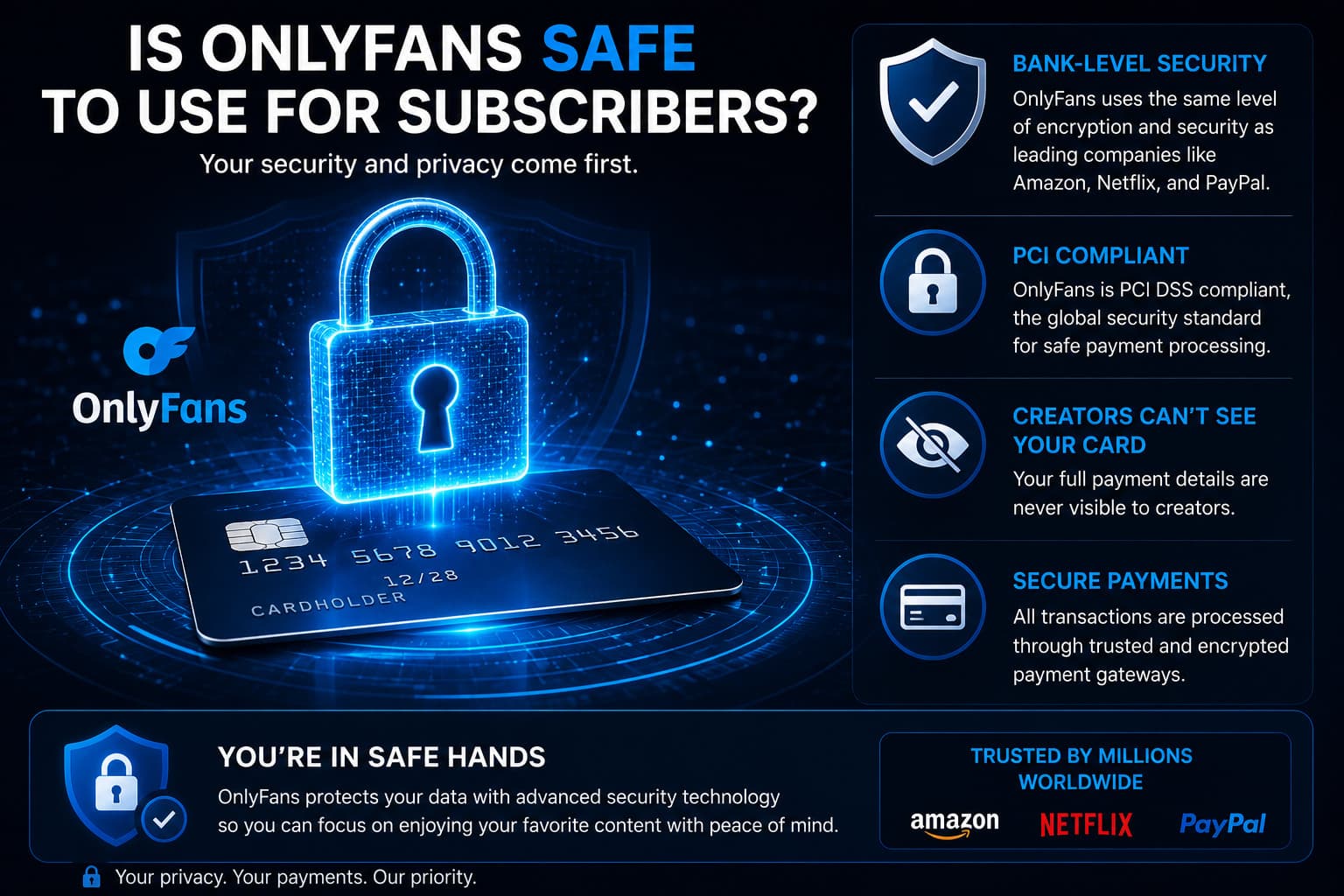
For consumers, digital safety centers around three specific priorities: Financial Data Security, Billing Statement Discretion, and Personal Anonymity.
1. Financial Security & PCI-DSS Compliance
When you purchase a subscription or unlock a pay-per-view (PPV) message, your primary concern is whether your credit card details can be stolen or compromised in a database leak.
- PCI-DSS Level 1 Tokenization: OnlyFans adheres to the highest security standard in the global payment processing industry (Payment Card Industry Data Security Standard Level 1). When you input your credit card, the sensitive 16-digit primary account number (PAN) and CVV security code are transmitted directly to certified third-party payment vaults. OnlyFans receives and stores only an encrypted, randomized cryptographic "token."
- Database Breach Immunity: If a malicious cybercriminal were to breach OnlyFans’ core web application servers, they would not find readable credit card numbers or banking passwords.
- 3D Secure 2.0 (3DS): Transactions enforce mandatory 3DS verification, requiring cardholders to authenticate transactions via biometric approvals or SMS passcodes from their issuing bank, neutralizing unauthorized charges from stolen cards.
2. Bank Statement Privacy & Billing Discretion
Consumers frequently fear that an explicit or embarrassing label will appear on their monthly bank or credit card statements.
- Standard Statement Descriptors: OnlyFans transactions appear under discreet corporate descriptors:
OnlyFans,OnlyFans.com,OF Fenix Internet, orFenix Internet LLC. - Creator Privacy: The specific creator you subscribed to is never listed on your bank statement. The transaction reflects only a general payment to the platform parent company.
- Virtual Card Isolation: For complete discretion, subscribers can deploy virtual cards (such as Privacy.com in the US or Revolut in Europe), which mask the transaction details behind customized merchant labels on funding accounts.
3. Personal Anonymity on the Platform
- Zero Public Identity Exposure: When you subscribe to a creator, the creator cannot see your real legal name, your email address, or your physical billing location.
- Display Identity: The creator only sees your chosen display name and
@username. If you choose a generic handle (e.g.,@user849204) and use a secondary email address, you remain 100% anonymous to creators and other users on the platform.
Part 2: Is OnlyFans Safe for Creators?
For content creators, safety concerns are far more complex. Creators upload highly sensitive, intimate intellectual property and entrust the platform with their legal identities, biometric data, and primary banking routing details.
1. The Reality of Content Leaks: Can It Be Prevented?
The most critical vulnerability every creator must confront is content piracy: can OnlyFans stop your content from being leaked?
The objective answer is no platform on earth can 100% prevent digital media leaks.
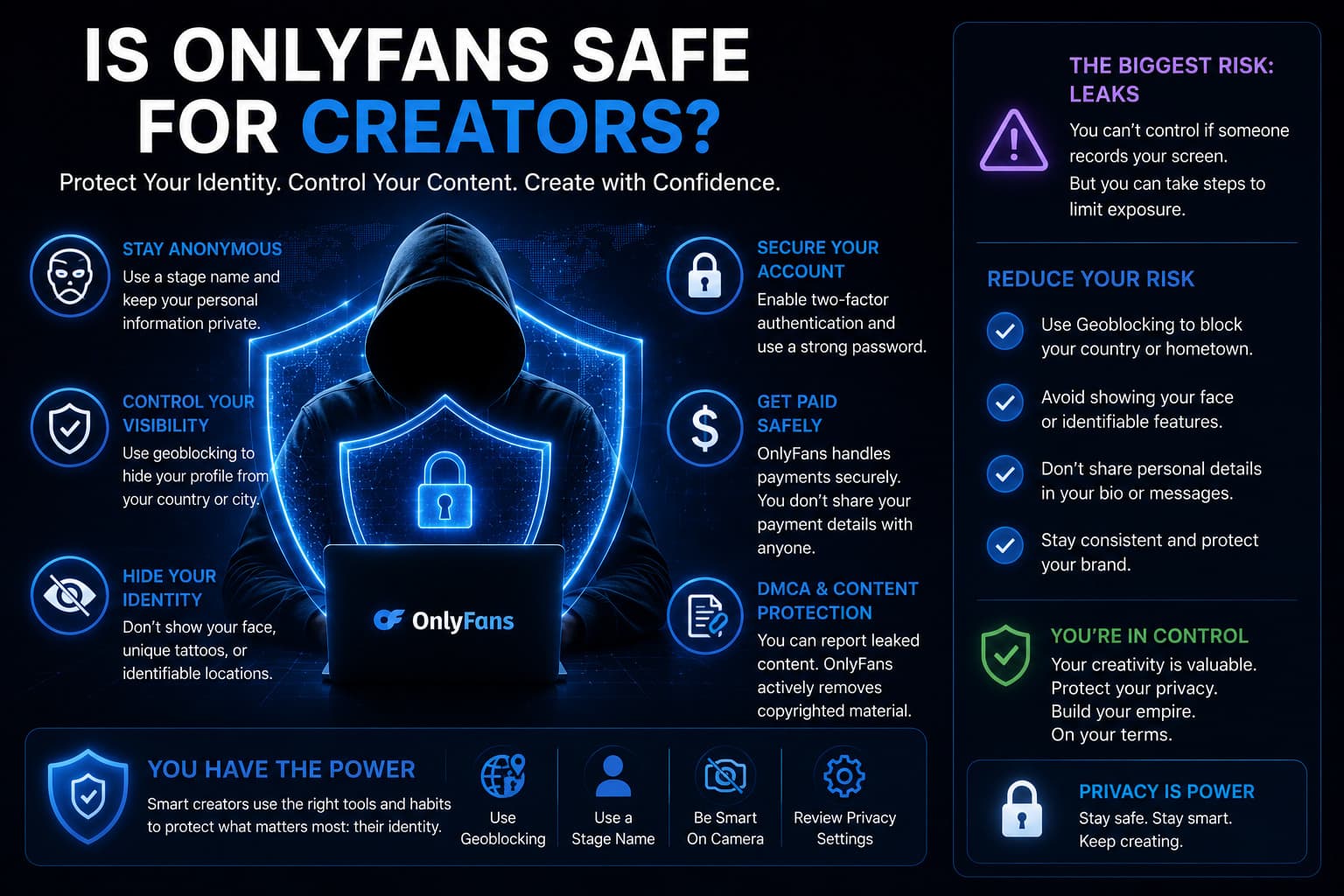
- Digital Rights Management (DRM): OnlyFans employs encrypted streaming protocols that disable right-click saving and trigger blacked-out screens when users attempt to capture video using standard screen-recording software or browser extensions.
- The Hardware Bypass: No software can prevent an unauthorized user from pointing an external physical 4K camera or smartphone at a monitor to record content.
- The Creator Defense: Rather than chasing impossible zero-leak guarantees, professional creators use automated forensic watermarking (stamping the subscriber’s unique ID into the video stream) and retain automated DMCA takedown services (such as Rulta or CamModelProtect) to scour search engines and cyberlockers, de-indexing leaked media within hours of detection.
2. Anonymity and Doxxing Defense for Faceless Creators
Many creators choose to operate anonymously as "faceless creators" to protect their professional careers or personal relationships.
- Internal KYC vs. Public Profile: OnlyFans requires full government ID, Social Security/tax identification, and biometric facial scans during onboarding to comply with federal 18 U.S.C. 2257 statutes. However, this legal data is held in restricted compliance silos. It is never displayed publicly.
- Doxxing Vulnerabilities: When creators are "doxxed," it is virtually never due to an internal OnlyFans database breach. Doxxing occurs through external human error: using a personal Instagram account linked to family contacts, forgetting to scrub GPS metadata from uploaded photos, filming near identifiable window landscapes, or registering business domain names without WHOIS privacy protection.
3. Geoblocking: The Digital Border Defense
OnlyFans provides native Geoblocking tools allowing creators to restrict profile access by geographic region:
- Country and State Level Blocks: A creator living in Florida or Australia can block the entire state of Florida or the country of Australia from ever discovering or loading their profile.
- Limitations of Geoblocking: Geoblocking is enforced via IP geolocation tables. If an acquaintance or neighbor connects to a Virtual Private Network (VPN) routing through a permitted jurisdiction, they can bypass the regional block. Creators must combine geoblocking with strict personal brand separation.
Comprehensive Safety Comparison: Fans vs. Creators
| Security Feature | Protection for Subscribers | Protection for Creators |
|---|---|---|
| Financial Data | Full PCI-DSS Level 1 Tokenization | Direct ACH / SWIFT / Encrypted E-Wallets |
| Identity Protection | Complete Anonymity (Pseudonyms allowed) | Identity hidden from fans; disclosed to tax authorities |
| Content Security | High (Viewing history private) | Moderate (DRM active; leaks require active DMCA defense) |
| Fraud & Theft Defense | 3D Secure 2.0 Banking Verification | 21-Day Clearing Reserve against chargebacks |
| Location Privacy | Coarse GeoIP logging (no GPS tracking) | Native Country & State Geoblocking |
The Real Hidden Dangers: 3 Threats Users Must Guard Against
While the core OnlyFans infrastructure is robust, bad actors exploit human vulnerabilities outside the platform perimeter:
Threat 1: Phishing and Account Takeover (ATO)
The single greatest threat to creators is email and direct message phishing. Attackers masquerade as "OnlyFans Verification Team" or "Copyright Compliance Support," sending urgent messages claiming your account will be deleted unless you log in via an external link. Clicking the link reveals your credentials to hackers, who immediately alter your payout routing numbers.
- Defense: OnlyFans staff will never ask for your password via direct message. Always verify that login URLs begin strictly with
https://onlyfans.com/.
Threat 2: Friendly Fraud and Chargeback Scams
Creators frequently encounter dishonest subscribers who purchase high-ticket custom videos or unlock dozens of PPV sets, and subsequently file fraudulent "unauthorized transaction" claims with their banks to reverse the charges.
- Defense: OnlyFans' internal fraud engines dispute illegitimate chargebacks automatically, and the platform’s 21-day clearing buffer insulates creator bank accounts from immediate overdrafts.
Threat 3: Malware-Laden "Free OnlyFans Leak" Portals
For consumers, searching for "free OnlyFans leaks" or downloading zip archives from third-party forums exposes devices to credential-stealing trojans, browser hijackers, and keyloggers designed to compromise personal banking accounts.
- Defense: Never download executable files or third-party browser extensions claiming to offer "free OnlyFans viewers."
Frequently Asked Questions
Is it safe to enter your credit card on OnlyFans?
Yes. OnlyFans uses certified PCI-DSS Level 1 payment processors and encrypted tokenization. Your real credit card number is never stored directly on OnlyFans application servers, making transactions as secure as purchasing from major international retailers.
Can creators see who subscribes to their OnlyFans?
Creators can see your chosen username, display name, and avatar. They cannot see your legal name, physical billing address, credit card details, or real email address unless you voluntarily disclose that information in direct messages.
Can someone find out if I have an OnlyFans account?
If you register with an isolated email address, use a unique username unconnected to your personal social profiles, and avoid using your real name, it is virtually impossible for an acquaintance to link your subscriber account to your real identity.
Does OnlyFans notify creators when a subscriber takes a screenshot?
No. Unlike mobile apps like Snapchat, OnlyFans does not send notifications when a user takes a screenshot on their device. However, its video player utilizes DRM technology that turns screens black if users attempt to capture footage using basic screen-recording tools.
What should a creator do if their content is stolen and uploaded online?
Creators should immediately collect the direct URLs of the infringing material, submit a formal DMCA takedown notice to the hosting webmaster, and request search de-indexing through Google’s DMCA portal. Utilizing automated takedown services like Rulta can expedite removals across thousands of cyberlockers simultaneously.
Related Security & Privacy Guides
- What Data Does OnlyFans Collect? Forensic Privacy Audit
- 10 Essential Security Tips for OnlyFans Creators
- How to Prevent and Stop OnlyFans Leaked Content
- OnlyFans Payment Methods: Secure Billing & Payouts
- How to Run a Successful Faceless OnlyFans Account
- OnlyFans Scams: How to Protect Your Cash and Identity