
10 Essential Security Tips for OnlyFans Content Creators: The 2026 OPSEC Blueprint

Leo Vance
Published: Sep 9, 2026 • 9 min read
Launching a career in the subscription creator economy can be extraordinarily lucrative, but it introduces an entirely unique threat matrix that standard social media influencers rarely encounter. Operating an OnlyFans account places you at the intersection of high-value digital financial transactions, sensitive personal media assets, and intense parasocial attention.
From organized cybercrime syndicates executing sophisticated Account Takeover (ATO) attacks to rogue subscribers attempting to uncover your legal identity through digital forensics, the risks are real and consequential. A single operational privacy oversight—such as uploading a photo containing embedded GPS coordinates or reusing a password across personal and professional inboxes—can compromise your physical safety, professional reputation, and financial livelihood overnight.
Building a durable, multi-million-dollar creator business requires adopting a defense-in-depth security posture. In this comprehensive operational security (OPSEC) manual, we deconstruct the 10 essential security tips for OnlyFans content creators, providing actionable, enterprise-grade protocols to safeguard your account, insulate your identity, and guarantee that your hard-earned revenue remains entirely secure.
The Creator Threat Matrix: What Are You Actually Defending Against?
Before implementing defensive countermeasures, you must understand the primary threat vectors targeting subscription creators:
| Threat Vector | Attack Mechanism | Target Asset | Operational Safeguard |
|---|---|---|---|
| Vector 1: Financial Takeover | Credential stuffing and unauthorized session hijacking | Platform earnings and payout routing | App-based 2FA (TOTP) + hardware security keys (FIDO2) |
| Vector 2: Doxxing & Exposure | OSINT public record scraping and EXIF metadata extraction | Real-world legal name and residential address | Wyoming corporate shield + EXIF sanitization tools |
| Vector 3: Content Exfiltration | Automated web scraping bots and hardware screen captures | Exclusive paywalled media and private direct messages | Dynamic user-ID watermarking + automated DMCA takedowns |
| Vector 4: Social Engineering | Carrier SIM-swapping and spoofed brand phishing portals | 2FA recovery codes and master login credentials | Total ban on SMS 2FA; verification of official domains only |
The 10 Golden Pillars of Creator Security
Deploying this layered defensive architecture guarantees that even if a single point of failure occurs, secondary security perimeters prevent catastrophic compromise.
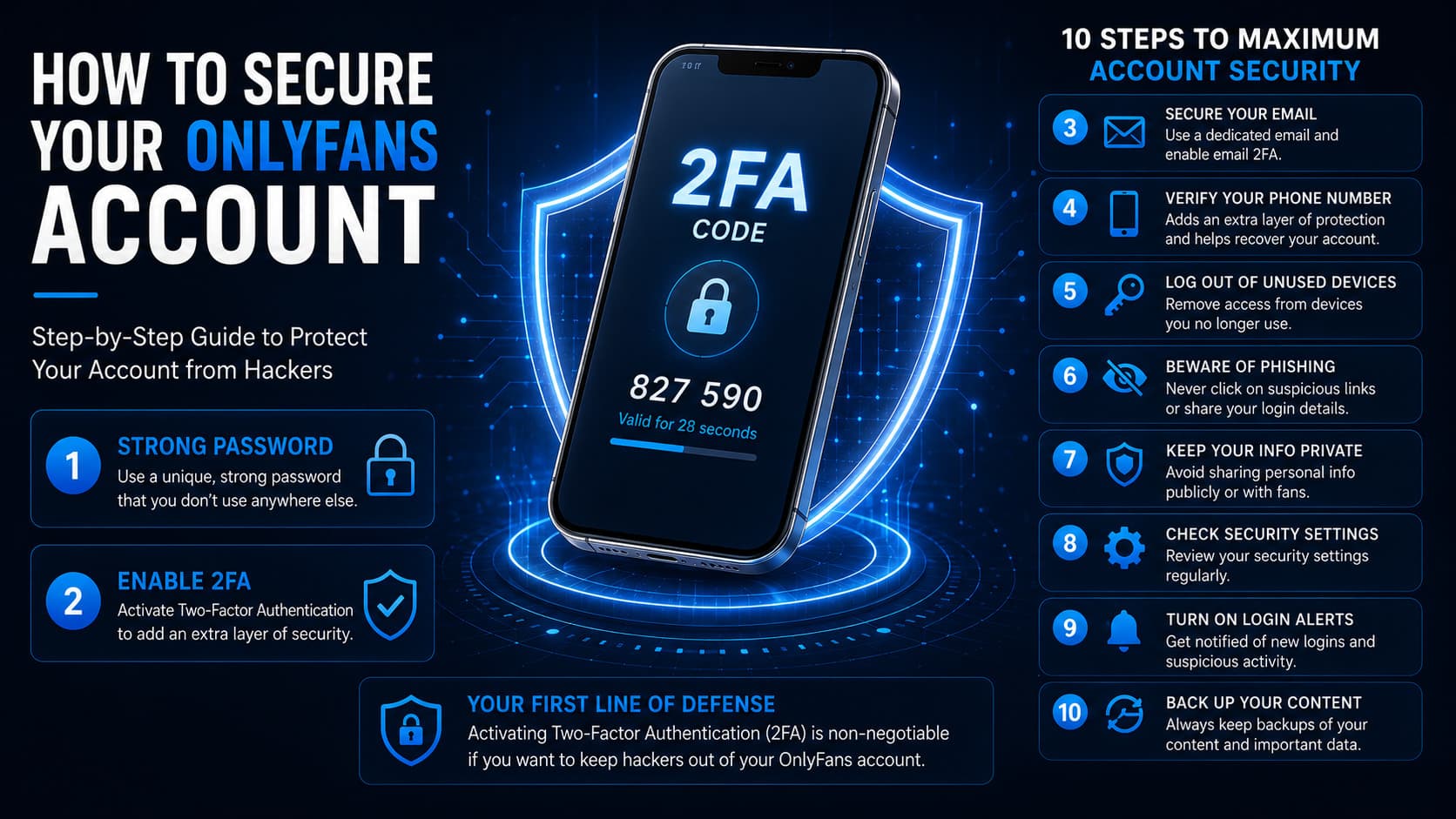
1. Cryptographic Password Management & Total Isolation
The single most common entry point for unauthorized account access is credential stuffing—automated bots testing millions of compromised username and password combinations harvested from previous third-party database breaches.
- Non-Negotiable Rule: Never reuse passwords. The password guarding your OnlyFans administrative login, your payout email, and your financial accounts must be entirely unique.
- The Solution: Deploy a certified open-source or audited password manager (such as Bitwarden or 1Password). Generate 24- to 32-character randomized alphanumeric strings containing complex symbols for every commercial asset.
2. Hardware or App-Based Two-Factor Authentication (2FA)
A strong password is completely insufficient in 2026. Enabling two-factor authentication adds a mathematical barrier that prevents logins even if an attacker possesses your master password.
- The SMS Vulnerability: Never use SMS text message verification. Telecom carriers are notoriously susceptible to social engineering; an attacker can execute a "SIM swap" by impersonating you at a mobile retail store, redirecting your cellular service to their device and intercepting your login codes in seconds.
- The Implementation: Connect your OnlyFans account exclusively to an Authenticator App (such as Google Authenticator, Authy, or Ente Auth) or configure physical FIDO2 / WebAuthn Hardware Security Keys (such as a YubiKey 5 Series). Without physical possession of the hardware token, account takeover is virtually impossible.
3. Absolute Segregation of Legal and Creator Personas
Your public creator brand must exist in a state of total cryptographic and administrative isolation from your private legal life:
- The Dedicated Business Email: Never link personal Gmail or iCloud accounts to your creator profile. Establish an encrypted email account using privacy-focused providers like ProtonMail or Tuta, reserved exclusively for OnlyFans administrative correspondence.
- Public Display Insulation: Ensure your public display name, creator handle, and vanity URLs share zero resemblance to your legal name, childhood nicknames, middle names, or previous high school/college athletic aliases.
4. Network Masking: Static Residential VPN Architecture
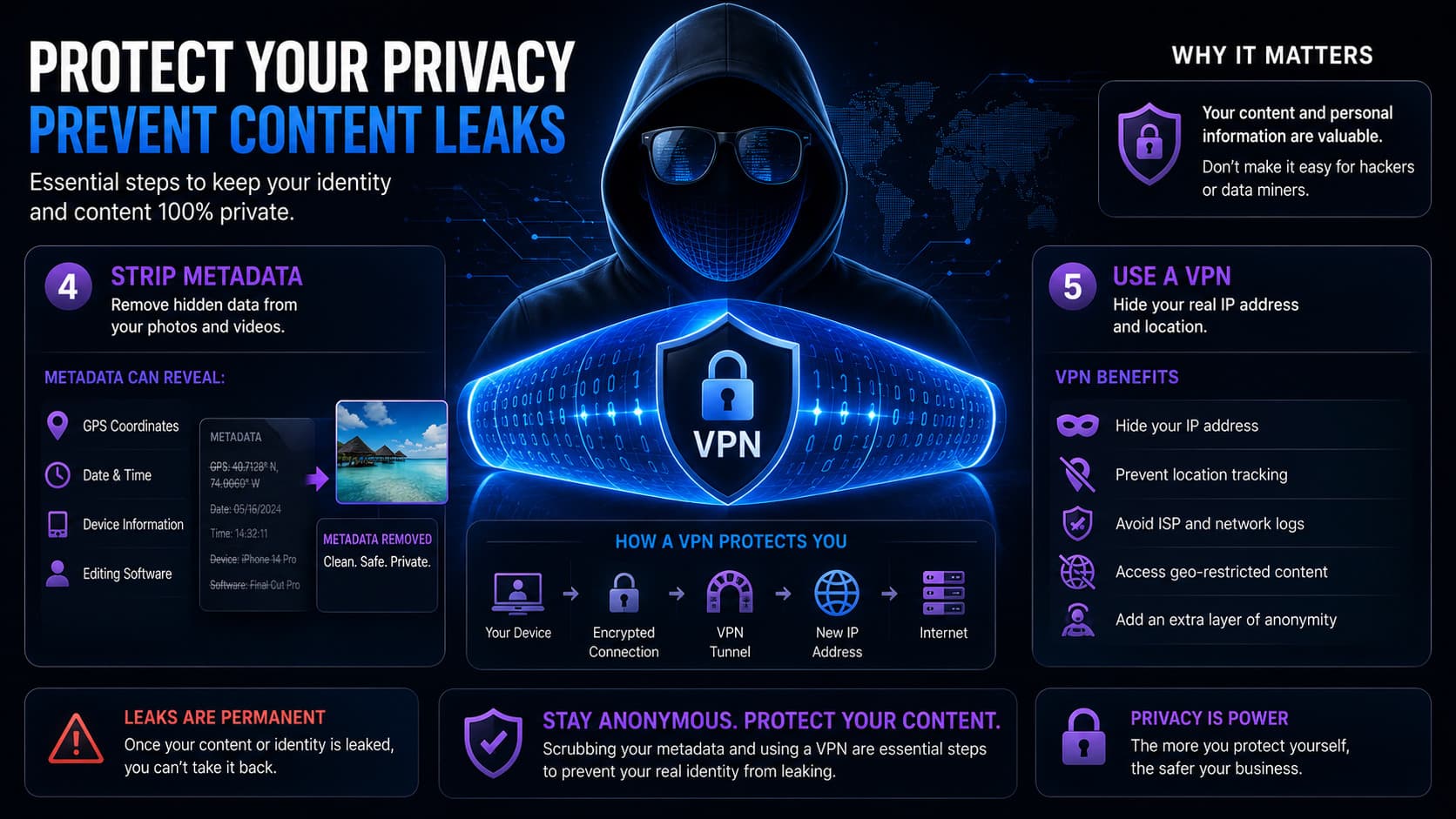
Every time you log into OnlyFans, your device transmits its public Internet Protocol (IP) address to the platform’s server logs. If an attacker breaches a secondary service or intercepts your traffic on an unsecured network, your geographic location can be resolved down to your local metropolitan Internet Service Provider (ISP) hub.
- Residential VPN Tunnels: When traveling or accessing administrative dashboards outside your primary studio, route all network traffic through dedicated, encrypted WireGuard VPN tunnels. Avoid free, public proxy servers that log and sell user traffic to data aggregators.
- Public Wi-Fi Ban: Never log into your OnlyFans dashboard, payout bank accounts, or creator email inboxes using unencrypted public Wi-Fi networks in airports, hotels, or cafes without active end-to-end VPN encryption.
5. Forensic Metadata (EXIF) Scrubbing
Modern smartphone cameras record extensive metadata headers (Exchangeable Image File Format, or EXIF) within every photo and video file captured. This hidden data frequently includes:
- Exact satellite latitude and longitude coordinates where the image was taken.
- Camera sensor serial numbers and unique hardware identifiers.
- Precise capture timestamps and device hardware models.
While OnlyFans automatically strips most public EXIF headers upon upload, relying solely on platform software is dangerous. Utilize third-party batch-sanitization tools (such as ImageOptim on Mac or ExifPurge on Windows) to scrub all forensic headers locally on your device prior to staging media for distribution.
6. Background Environmental OPSEC: Eliminating Visual Clues
Sophisticated internet sleuths and geolocation hobbyists can pinpoint an individual's physical address using surprisingly minimal visual information:
- Window Reflections & Skylines: Avoid filming with open windows displaying unique architectural landmarks, distinctive street signs, local retail storefronts, or unique power line configurations.
- Distinctive Personal Markers: If you operate as a faceless creator, meticulously conceal or edit out identifiable physical characteristics: prominent birthmarks, unique scars, and distinctive tattoos that appear on your personal social media accounts.
- Branded Merchandising: Never display localized merchandise—such as regional university apparel, local gym passes, or city-specific event wristbands—within frame.
7. Strategic Geoblocking Perimeter Configuration
OnlyFans provides native geographical perimeter controls that allow creators to restrict profile access based on geographic location:
- Enforce Local Blackouts: Immediately navigate to your profile settings and block your home country, state, or metropolitan area. This prevents friends, family members, colleagues, and local acquaintances from discovering your profile through organic search or shared links.
- Combine with Social Shielding: Supplement platform geoblocking by ensuring your secondary promotional accounts on Instagram, TikTok, and Reddit do not sync your device’s address book or personal contact lists.
8. Financial and Corporate Insulation: The Wyoming LLC
Top creators do not receive platform royalties into their personal personal checking accounts; they structure their enterprises as commercial businesses:
- The Corporate Shield: Establish a Limited Liability Company (LLC) in a privacy-protective jurisdiction like Wyoming or Delaware. Wyoming does not record member or manager names on public state registries, ensuring your legal ownership remains completely shielded from public business searches.
- Registered Agent & Virtual Office: Never use your physical residential home address when registering business domains, LLC paperwork, or trademark filings. Retain a professional commercial Registered Agent and lease a commercial virtual office address to handle all formal mail and public filings.
9. Social Engineering & Anti-Phishing Discipline
The vast majority of account takeovers do not involve advanced military-grade hacking software; they succeed through simple social engineering.
| Attack Stage | Adversary Tactic | Victim Vulnerability | Forensic Defense |
|---|---|---|---|
| 1. Urgent Bait Message | Phishing DM: "Account flagged for copyright violation! Appeal within 24h." | Fear of account closure and panic | Platform staff never message via DMs regarding compliance |
| 2. Spoofed Landing Portal | Directs creator to clone domain (onlyfans-compliance-check.net) | Visual mimicry of authentic OnlyFans login | Browser address bar inspection confirms non-platform URL |
| 3. Credential Harvesting | Prompts for master email, password, and live 2FA code | Real-time relay to automated exploitation script | Hardware security keys (YubiKey) refuse to authenticate on fake domains |
| 4. Payout Diversion | Attacker accesses real dashboard and swaps payout bank details | Financial loss if funds disburse before discovery | Immediate session severance and payout freeze via support |
- The Ironclad Principle: OnlyFans staff will NEVER message you on direct messages asking for your password, verification codes, or banking details.
- Domain Verification: Always verify the browser address bar. The official platform URL is strictly
https://onlyfans.com/. Any variation (e.g.,onlyfans-security.com,verify-onlyfans.net) is an active cybercriminal phishing portal.
10. Automated Digital Rights Management & Continuous Scanning
Accept the reality that content leaks will occasionally occur, and deploy automated intellectual property defense systems to neutralize them immediately.
- Enable Dynamic Watermarks: Activate native OnlyFans watermarking to stamp the viewing subscriber’s unique platform ID onto your content, deterring leaks and identifying bad actors.
- Retain Automated DMCA Services: Subscribe to dedicated digital rights monitoring services like Rulta or CamModelProtect. These services deploy continuous automated crawlers that monitor cyberlockers, search engine indexes, and adult tube sites, issuing automated legal takedowns and Google de-indexing requests within minutes of detection.
Emergency Incident Response Plan: What to Do If Your Account Is Compromised
If you suspect unauthorized access to your account, every second counts. Execute this emergency protocol immediately:
- Sever Active Sessions: If you still possess access, navigate to Settings > Security and click Log Out of All Sessions.
- Inspect Payout Routing Immediately: Check your Add Bank (Earn) settings. If an attacker altered your routing number or bank account details, take a screenshot of the fraudulent details and immediately submit a high-priority ticket to
support@onlyfans.comrequesting a total payout freeze. - Reset Master Credentials: Change the password on your registered email address first, followed immediately by your OnlyFans password, generating a new 32-character random string.
- Re-Enroll 2FA Tokens: Delete your previous two-factor authentication seed and generate a brand-new QR code on an isolated authenticator app.
Frequently Asked Questions
What is the biggest security mistake new OnlyFans creators make?
The single most common mistake is reusing personal passwords and using personal email addresses linked to real-world contacts. A minor data breach on an unrelated website exposes the creator's OnlyFans credentials, leading directly to account takeover and financial theft.
Can hackers steal my cleared OnlyFans earnings?
Yes, if they achieve an Account Takeover (ATO). Attackers who gain administrative access to an account immediately navigate to the banking dashboard and replace the creator’s bank routing numbers with their own offshore accounts. Once a scheduled withdrawal triggers, the funds are deposited into the hacker's account. This is why daily payout routing verification and app-based 2FA are mandatory.
How do I stop subscribers from finding my real legal name?
Never conduct transactions through personal peer-to-peer payment apps (like Venmo, Cash App, or personal PayPal), as these apps routinely display legal names to transaction recipients. Operate all business transactions strictly through OnlyFans’ native checkout system, form a privacy-shielded Wyoming LLC, and never register public domain names without WHOIS privacy protection.
Does OnlyFans geoblocking work against users with VPNs?
No. Geoblocking filters incoming visitors based on their public IP address. If an acquaintance located in your blocked home state activates a VPN routed through a permitted state (e.g., Texas or New York), the platform will treat the visitor as originating from that permitted location. Geoblocking should always be paired with background OPSEC and stage names.
Is SMS verification safe for creator accounts?
No. SMS two-factor authentication is vulnerable to SIM-swapping attacks, where bad actors manipulate mobile carrier customer support into porting your phone number to their SIM card. Creators must utilize dedicated authenticator apps (like Google Authenticator or Bitwarden) or hardware security keys.
Related Security & Privacy Guides
- Is OnlyFans Safe? Complete Privacy & Threat Breakdown
- How to Prevent and Remove OnlyFans Leaked Content
- What Data Does OnlyFans Collect? Forensic Privacy Audit
- OnlyFans Payment Methods: Secure Billing & Payouts
- How to Run a Successful Faceless OnlyFans Account
- Understanding OnlyFans Scams & Phishing Defense